✨ First week free

Your shlichus
has direction

Kivun walks with you through the whole year - helping you plan, set goals, and actually follow through. Not another blank calendar you have to fill in yourself - it already builds your route and guides you, one step at a time.

👆 Tap to check off a task
Your day · ThursdayUpdated just now
🧭 Time to plan your yearFor 5787

Sound familiar?

  • Pledges and donations scattered across spreadsheets, WhatsApp, and your headEvery pledge and donation in one place, scheduled and up to date
  • Your goals and tasks stay stuck in your headYour goals are scheduled, with a reminder right when you need it
  • Every holiday or event feels like it sneaks up on youEvery holiday and event is ready ahead of time, no surprises
  • You're doing it all alone, with no room to breatheKivun remembers for you, so you can finally breathe

How the Kivun calendar guides you

You set the goals, it makes sure you get there.

Your day is already planned

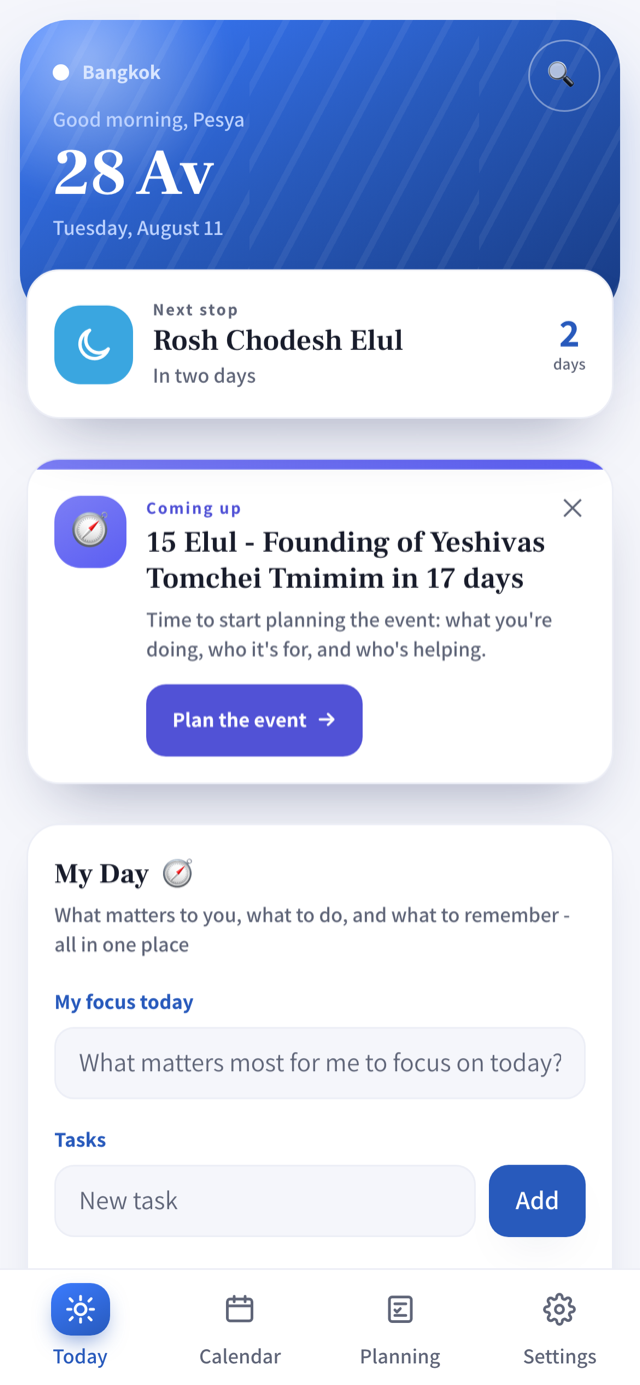
The Today screen centers your daily route and reminds you of the important things at exactly the right moment.

Reminders show up on their own

Accurate reminders for holidays, with enough advance notice - plus personal reminders you set yourself. Always right on time, so you can stay calm.

Fundraising gets planned too

A dedicated fundraising planning page - goals and check-ins all year, right alongside the rest of your planning.

Direct sync from your phone

Send your plan over WhatsApp or as a PDF, or sync the whole year to Google Calendar.

Personal dates, never forgotten

Add a birthday or yahrzeit that matters to you, and Kivun reminds you every year - by the Hebrew date.

Right on your home screen

A small widget shows your next stop and what's coming up - without even opening the app.

Stuck? A built-in help center with dozens of guides, right inside the app.

The Today screen in the Kivun app, with the daily route and reminders
Today
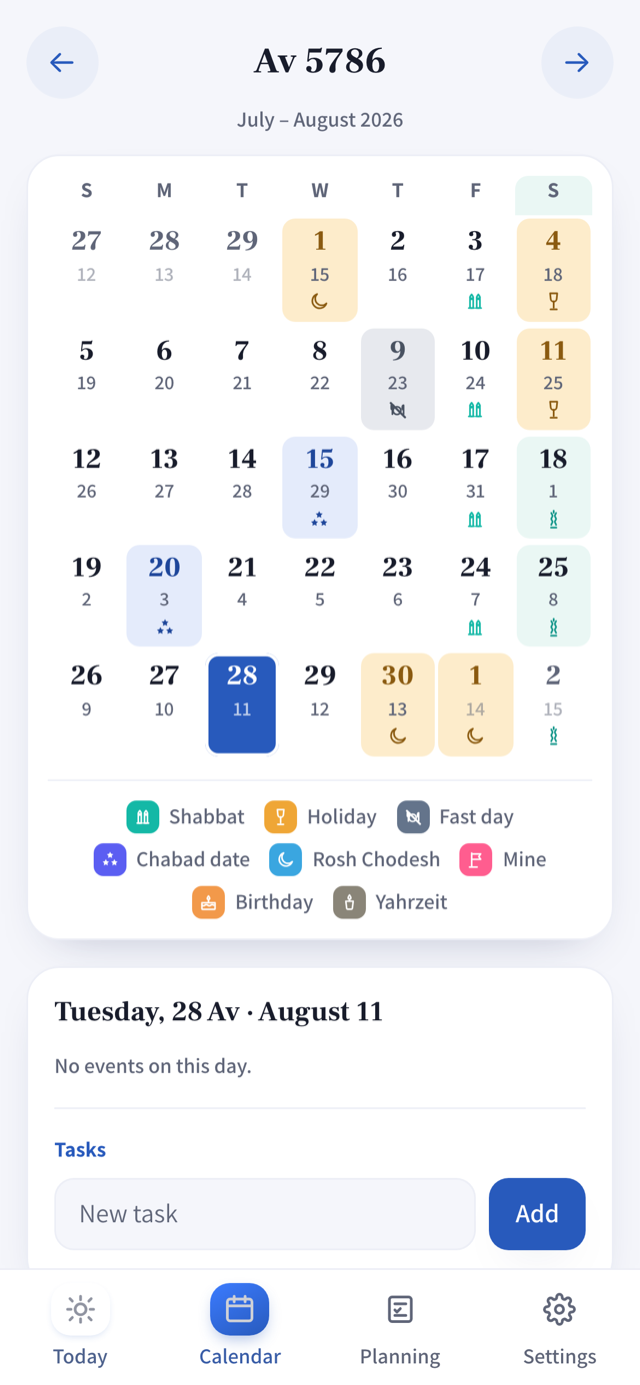
The Hebrew calendar screen in the Kivun app
Calendar
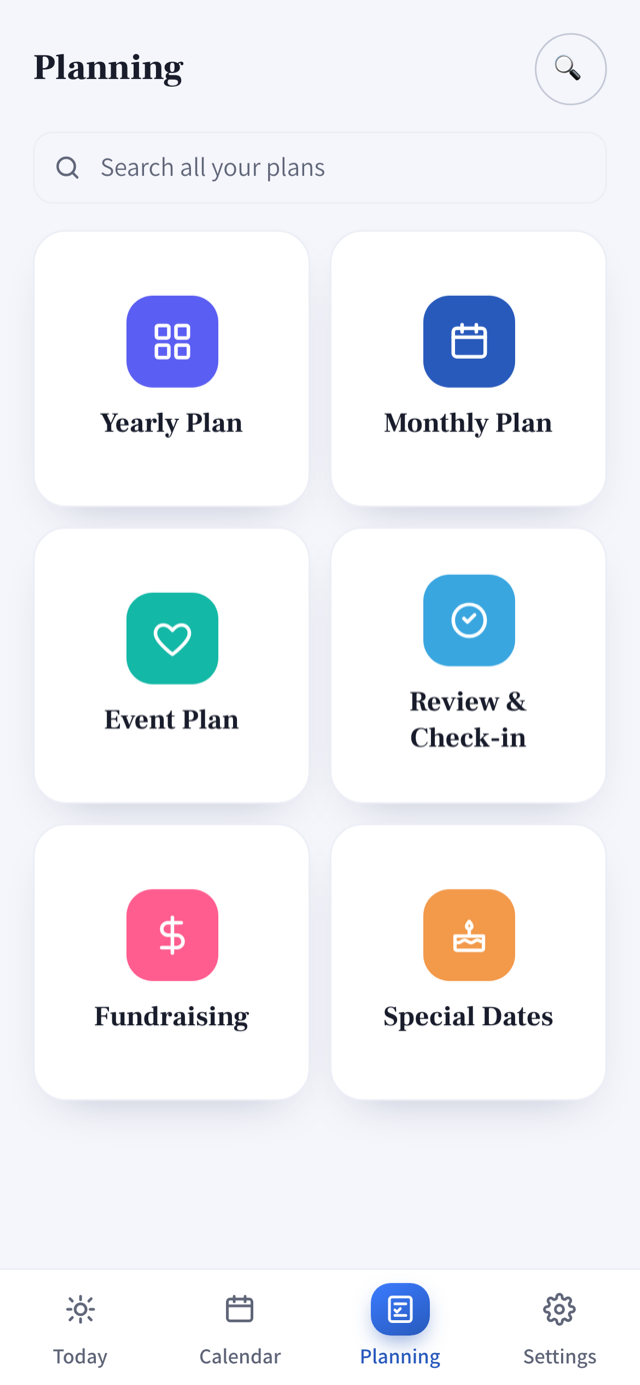
The guided planning screen in the Kivun app
Planning

Your route, in 3 stops

1

Stop 1: Set your destination

Download Kivun and enter your shlichus location.

2

Stop 2: Your route builds itself

Holidays, fasts, Rosh Chodesh, candle-lighting - the whole year is already on your route, before you've typed a single line.

3

Stop 3: Start navigating

Yearly, monthly, an upcoming event, or fundraising - pick where to start and the Kivun calendar guides you, step by step.

Who built Kivun

Kivun wasn't built in a lab. It came out of 8 years of supporting shluchim and Chabad Houses from all over the world - and out of my own experience as a shlucha, where I learned firsthand how easily a donation, a goal, or an important date can fall through the cracks.

After two years where the calendar and planning pages were already in use by hundreds of shluchim and shluchos worldwide, it's finally becoming a real app - easier to use, packed with new features, and honestly, more fun.

Pricing

Free for your first week

Then one annual subscription - about $35/year in the US - billed automatically in your own currency by the App Store or Google Play. Cancel anytime, right in the store.

Everything runs through the store, just like any other subscription on your device.

Frequently asked questions

Is my data safe?

Yes. Kivun keeps everything on your device only - no server, no cloud, no third party. It works without internet too.

How do I cancel my subscription?

Through your subscription settings in the App Store or Google Play - exactly like any other subscription on your phone. No need to contact us.

What devices does it work on?

iPhone and Android, on a reasonably current OS version. There's no desktop version.

Does this replace my Google Calendar?

It doesn't replace it - it connects to it. You can sync your whole year straight into Google Calendar and keep using it exactly as you do now.

Can I share this with my spouse?

Each of you needs your own device and subscription - Kivun is a personal planner with no shared account. Want to see each other's schedule? Each device can sync separately to Google Calendar, and you can share from there like any other Google Calendar.

What happens if I switch phones?

Your planning is backed up. Restore the backup on your new device and pick up exactly where you left off.

I'm not a shliach - is Kivun even for me?

Yes! At its heart, Kivun is the Chabad calendar and a daily tracker, and that speaks to any chossid, not just shluchim. Feel free to reach out with any questions.

Ready to give your shlichus direction?